Wishlist

Imagine coming home after a long day and the lights are already on, the thermostat eased to a comfortable level, and your front-door camera politely shows who’s at the door—without juggling five different apps.
If that sounds appealing but intimidating, this guide shows how to start building a smart home without making it complicated. The end result: a small, reliable set of devices that work together through one control method, give immediate benefit, and let you expand at your own pace.
Decide on one simple control method first
Before buying anything, pick how you want to control the system day-to-day. Your main choices are:
- Voice assistant (Alexa, Google Assistant, Siri/HomeKit)
- A single smart-home platform or app (Matter-friendly hubs or a preferred manufacturer)
- Routines on your phone (shortcuts or an all-in-one app)
Pick the one you’ll use most. If you already have a smart speaker, choose that ecosystem to avoid extra apps. If you don’t like voice, aim for Matter-compatible devices so different brands can be managed together in a single app later.
Start with two high-impact devices
Rather than a whole-room overhaul, begin with two devices that deliver visible benefits and teach you how things integrate.
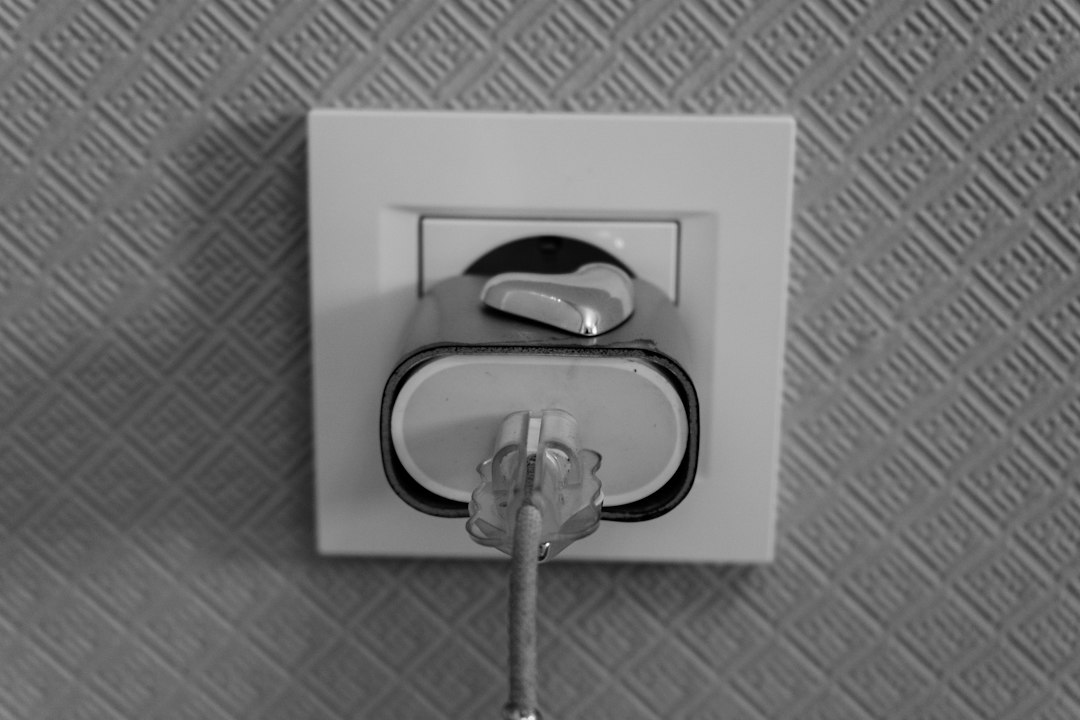
- Smart plug: Controls lamps, fans, space heaters, or holiday lights—no rewiring required. It’s a great first automation for schedules and away-of-mind convenience.
- Video doorbell: Adds security and one of the clearest wins: see and speak with visitors, receive motion alerts, and deter package theft.
These choices are inexpensive, low-risk, and let you experiment with schedules, notifications, and voice commands.
Buy for compatibility and future expansion
Buy devices that work together. The two compatibility rules that simplify everything:
- Prefer Matter-compatible devices when possible—Matter reduces app clutter by allowing different brands to appear in the same controller app.
- Match your control method (voice assistant or hub). If you use Alexa, buy devices that work reliably with Alexa or Matter.
Product recommendation: if you want a fuss-free smart plug that’s Matter-ready and easy to set up, consider the Linkind Matter Smart Plug. It simplifies later expansion because it’s built to work across platforms.
Set up with simple rules, not dozens of automations
When you install your first devices, resist the urge to create elaborate scenes. Start with three practical automations:
- Schedule: lamp turns on at sunset; off at bedtime.
- Presence: front porch camera notifies you when motion is detected while you’re away.
- Voice shortcut: one phrase to turn key devices on/off (for example “Good night” to turn lights off).
These give immediate convenience and prove the system works. Use concise names for devices—“Living Lamp” instead of “Lamp-LivingRoom-Outlet-03”—so voice and app controls are predictable.
Troubleshooting common early problems
Expect a few hiccups; they usually have quick fixes:
- Device won’t connect: power-cycle the device, ensure your phone is on the same Wi‑Fi band (2.4 GHz for many smart plugs), and move the router closer during setup.
- Too many apps: delete secondary apps after adding devices into your primary controller, or re-add only if a feature is missing.
- Notifications are noisy: fine-tune motion sensitivity in the doorbell’s settings and set “people only” alerts if available.
How to expand without backtracking
When you’re ready to add devices, follow a simple order that keeps the system tidy:
- Add more smart plugs and lighting to create zones (entryway, living room, bedside).
- Add sensors (door/window or motion) for security and automated lighting triggers.
- Consider a smart lock or thermostat once you’re comfortable—the lock integrates best if your platform supports secure device pairing.
Always check that the new device supports your control method or Matter. If you already have a functioning hub or app, pause before buying anything that would force you into a new ecosystem.
Privacy and security basics
Smart homes trade convenience for increased network exposure; reduce risk with three easy habits:
- Change default passwords and enable two-factor authentication on accounts.
- Keep device firmware and the controlling app up to date.
- Put smart devices on a separate guest network if your router supports it.
Costs and timing: how to avoid buyer’s remorse
Set a small initial budget for the first two devices and a plan for the next three months of additions. This stops impulse buys and lets you evaluate which automations actually improve daily life.
If you want a general-purpose first step, a Matter smart plug plus a reliable video doorbell gives the best balance of convenience and security for most households.
Final steps before you finish your first week
After installation, test these things:
- Voice command reliability from different rooms.
- Notifications arriving on your phone when you’re away.
- Automations running at scheduled times.
If anything fails repeatably, it’s usually one of the router, Wi‑Fi band, or device firmware—address those before adding more devices.
- Pick a primary control method (voice, single app, or Matter).
- Buy one smart plug and one video doorbell as your first devices.
- Name devices clearly and create three simple automations.
- Secure accounts, change default passwords, and enable updates.
- Test commands, schedules, and notifications from outside your home.
Begin small and intentional: choose how you’ll control devices, add one plug and one doorbell, and set a few useful automations. Buying Matter-compatible gear and securing accounts prevents future friction and keeps expansion manageable.
Do I need a hub to start building a smart home?
No—many devices work directly with voice assistants or Matter. A hub helps if you want local control or use Zigbee/Z‑Wave devices, but it’s not required for a simple start.
Is Matter really necessary?
Matter isn’t required, but it simplifies cross-brand control and reduces the number of apps you’ll need as you expand.
Which device should I buy first?
Start with a smart plug for affordable automation and a video doorbell for immediate security and convenience—together they demonstrate value quickly.
How do I stop getting too many notifications?
Adjust motion sensitivity, set activity schedules, and enable “people only” or zone filters in your camera’s app to reduce false alerts.
Can I mix brands later?
Yes—especially if you use Matter or a single voice ecosystem; otherwise check compatibility before buying to avoid app overload.